

DATA ANALYTICS
🚀Become a Data Analytics Pro – Now at 15% OFF!
Why Choose This Data Analytics Course?
Hands-On Training with Real-World Projects
Learn by doing! Work on live case studies and datasets to understand how data analytics works in real business scenarios—no theory overload, just practical learning that matters.
Learn from Industry Experts
Our trainers are seasoned professionals with years of experience in data science, business analytics, and BI tools. Get real-time insights, mentorship, and tips that only professionals can offer.
Job-Ready Curriculum Aligned with Market Demand
Our course is designed to help you land your first job or switch careers with confidence. You’ll learn tools and techniques that are currently in demand—Excel, SQL, Python, Power BI, Tableau, and more.
Accelerate Your Career with High-Demand Tools
Power your resume with top skills in data visualization, predictive analytics, and dashboard building. Stand out in interviews with practical knowledge that hiring managers look for.
Globally Recognized Certificate of Completion
Get a professional certificate upon successful course completion to showcase your achievement. Perfect for job applications, LinkedIn, or upskilling within your current role.
What you'll learn
- Learn Data Analytics with Python Master Python syntax, data types, and key operations for effective data analysis and visualization.
- Master Control Flow and Loops in Data Analytics with Python Use if-else conditions, for, and while loops to manipulate data, automate tasks, and streamline analysis
- Use Functions and Modules in Data Analytics with Python Create reusable functions and organize code efficiently with built-in and custom modules.
- Work with Data Structures in Data Analytics with Python Master lists, tuples, sets, and dictionaries for efficient data handling and manipulation.
- Handle Files and Exceptions in Data Analytics with Python Read and write files while managing errors using exception handling (try-except).
Learning Objectives
- PYTHON
- ADVANCE EXCEL
- SQL
- POWER BI
- TABLEAU
Course content
- 18 Modules
- 30 Sessions
- 3.5 Months Duration
PYTHON INTRODUCTION
Comprehensive Python installation guide across Windows, Linux, and Mac.
Setting up the environment path for seamless execution.
Key Python features: simplicity, versatility, cross-platform.
Declaring and managing variables effectively.
Mastering input/output methods and Python imports.
Why Python is essential in 2025 for automation, AI, and web development.
Industries and companies using Python today.
DATA TYPES
Introduction to core data types: integers, floats, strings, booleans, and complex numbers.
Advanced collections: tuples, lists, dictionaries, sets.
Arrays: importing and managing using Python's array module.
BUILT IN FUNCTIONS
Manipulating strings and slices.
Handling dates, performing math, generating random values, and performing statistical operations.
Extracting data from PDFs.
Introduction to the CSV module for reading and writing.
TUPLES
Introduction and use cases for immutable tuples.
Tuple operations, slicing, and functions.
Tuple methods for practical data handling.
LISTS
Creating dynamic Python lists.
List manipulation, sorting, appending, and slicing.
Built-in methods and functions for advanced list operations.
SETS
Introduction to unique data collections with sets.
Performing union, intersection, and difference.
Set methods for data comparison and filtering.
FLOW CONTROLS
Conditional logic: if, else, elif.
Looping structures: for, while, break, continue, pass.
Efficient looping techniques with list comprehensions and enumerate.
FUNCTIONS
Declaring functions and using return values.
Positional, keyword, and default arguments.
Anonymous and lambda functions.
Recursion, global/local scope, modules, and package creation.
FILE HANDLING
Reading and writing text, CSV, and binary files.
Manipulating file pointers and handling file operations.
File attributes and working with directories.
EXCEPTION HANDLING
Structured try, except, finally blocks.
Try-else constructs.
Creating and managing custom exceptions.
OOPS CONCEPTS
Real-world application of OOP in Python.
Classes, objects, and access specifiers.
Method overloading, overriding, inheritance, abstraction, and encapsulation.
Self-keyword and property decorators.
OS AND SYSTEM SERVICES
Leveraging the OS module for environment variables and paths.
File system interactions and date/time manipulations.
MULTITHREADING
Creating threads using the threading module.
Synchronization and thread-safe operations.
Thread priorities and queues.
REGULAR EXPRESSION
Mastering pattern matching and string searching.
Parsing logs and real-time data using regex.
Input validation using regular expressions.
Data Analysis with Pandas and NumPy
Introduction to NumPy
Learn array creation, indexing, slicing, reshaping, and broadcasting for numerical computations.Mathematical and Statistical Operations in NumPy
Perform operations like mean, median, standard deviation, and matrix operations.Pandas Data Structures
Work with Series and DataFrames, essential for data manipulation and cleaning.Reading/Writing Data using Pandas
Import and export data from CSV, Excel, JSON, and databases.Data Cleaning and Preparation
Handle missing values, filter and sort data, merge and join datasets.Data Aggregation and Grouping
Usegroupby(),pivot_table(), and aggregation functions for summarizing datasets.Time Series Analysis
Handle time-indexed data, resample and perform rolling statistics.
Data Visualization with Matplotlib and Seaborn
Introduction to Data Visualization
Understand the role of data visualization in exploratory data analysis.Creating Basic Plots with Matplotlib
Learn to build line, bar, scatter, and histogram charts with customization options.Advanced Visualization with Seaborn
Create statistical visualizations like box plots, heatmaps, violin plots, and pair plots.Plot Customization
Enhance visual appeal with labels, legends, grids, and custom color palettes.Saving and Exporting Charts
Save plots in different formats (PNG, PDF, SVG) for reports and dashboards.
Business Intelligence Tools Overview
Tableau Fundamentals
Introduction to Tableau dashboards, connecting to data sources, and creating visualizations.Power BI Basics
Explore Power BI Desktop, work with Power Query, and create interactive reports and dashboards.Excel for Data Analysis
Use formulas, pivot tables, charts, and conditional formatting for advanced Excel analytics.Integrating Python with BI Tools
Learn how to use Python scripts within Power BI and Excel for advanced data processing and automation.
Description
Data Analytics is essential for modern decision-making and digital change. This course teaches learners how to turn raw data into valuable insights to improve business strategies, performance, and value. It emphasizes extracting actionable intelligence from complex datasets using statistical analysis, data visualization, machine learning, and predictive modeling. Students will gain hands-on experience with tools like Excel, SQL, Python, R, Power BI, and Tableau, learning data collection and preparation techniques. Data analytics is crucial in industries such as finance, healthcare, and marketing for making informed decisions and addressing real-world problems. This course prepares participants for roles such as Data Analyst, Business Analyst, and Data Scientist.
Mapped Certificate
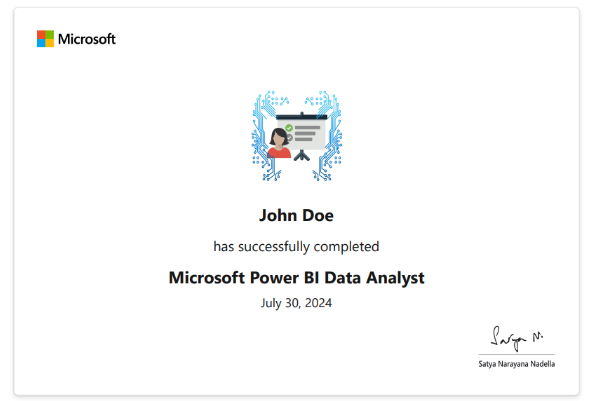
Power BI Data Analyst
via Microsoft
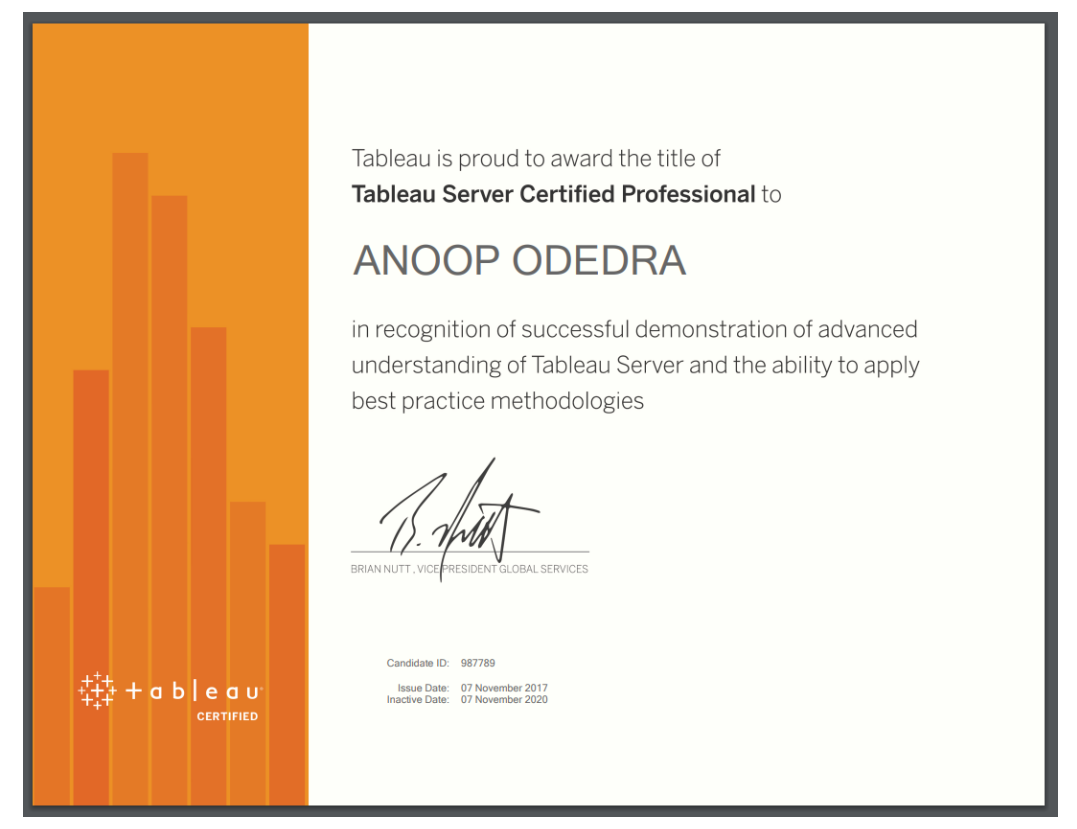
Tableau Server Certified Professional
Via Tableau Server
EXCELLENTTrustindex verifies that the original source of the review is Google. I am completed with python with data analytics course in IIE It's for good teaching best experience for placement training so I will like for Indra institute of education in Gandhipuram branch.Posted onTrustindex verifies that the original source of the review is Google. I have completed the data analytics course . The mentor was friendly to approach and they taught us all the concepts well and it was useful.Posted onTrustindex verifies that the original source of the review is Google. GoodPosted onTrustindex verifies that the original source of the review is Google. great place to study ccna ..sindhu mam really helped me a lot to finish my ccna coursePosted onTrustindex verifies that the original source of the review is Google. Successfully completed in networking and cloud course.thanks to iie teamsPosted onTrustindex verifies that the original source of the review is Google. Best institute in coimbatorePosted onTrustindex verifies that the original source of the review is Google. Best training institute in coimbatorePosted onTrustindex verifies that the original source of the review is Google. Best place to learn Data science and Machine Learning..Thanks IIE teamPosted onTrustindex verifies that the original source of the review is Google. Best place to learn data science in Coimbatore..Thanks IIE teamPosted onTrustindex verifies that the original source of the review is Google. I'm the student of indra institution in coimbatore. Here, to gave a well traning and good teaching of all students. Now , I'm placement to company. Thank you all
Get 15% OFF On This Course Now!
Frequently Asked Questions
Got Questions? We've Got Answers!
Flutter course will enable the creation of real-time web apps by setting up two-way connections where the client and server can each communicate & enable the free exchange of data. NodeJs skills will come in handy for aspiring web developers.
Do I need coding skills to learn Data Analytics?
Basic coding (like Python or SQL) helps, but many tools like Excel, Power BI, and Tableau are user-friendly and don’t require coding.
Is Data Analytics the same as Data Science?
No. Data Analytics focuses on analyzing existing data; Data Science includes building predictive models and working with algorithms.
What tools are used in Data Analytics?
Popular tools include Python, SQL, Excel, Power BI, Tableau, and R.
Lets find your Perfect online courses today!
Empower Yourself with Expert-Lead Learning Anytime, Anywhere


