

Artificial Intelligence (AI)
 Kickstart Your AI Career – Limited Time 15% OFF!
 Kickstart Your AI Career – Limited Time 15% OFF!
Why Choose This Artificial Intelligence Course?
Hands-On Training with Real-World AI Projects
Learn by doing! Work on live AI case studies and datasets to understand how artificial intelligence is applied in real business scenarios—no theory overload, just practical learning that matters.
Learn from AI Experts
Our trainers are seasoned professionals with years of experience in machine learning, deep learning, and AI applications. Get real-time insights, mentorship, and industry tips that only experts can provide.
Job-Ready Curriculum Aligned with Market Demand
This course prepares you to enter or transition into AI roles with confidence. You’ll master tools and techniques like Python, TensorFlow, Keras, PyTorch, NLP, and Computer Vision—skills highly valued by employers today.
Accelerate Your Career with High-Demand AI Skills
Build a strong resume with top AI skills in model building, predictive analytics, natural language processing, and image recognition. Impress recruiters with hands-on expertise that directly applies to real-world problems.
Globally Recognized Certificate of Completion
Earn a professional certificate upon successful course completion to validate your expertise. Ideal for job applications, LinkedIn profiles, or advancing your career in AI-driven industries.
What & How You'll Learn
- Understand AI with Python from Scratch Learn core Python and essential libraries used in AI development.
- Explore Key AI Concepts Get hands-on with machine learning, deep learning, neural networks, and NLP (Natural Language Processing).
- Work with Real-World Data Use datasets to build smart AI solutions like image recognition, chatbots, and recommendation systems.
- Build and Train AI Models Use libraries like scikit-learn, TensorFlow, and Keras to create and train AI models.
- Deploy AI Projects Learn how to test, evaluate, and deploy your AI models in real-world applications.
- Master AI Tools & Frameworks: Gain practical experience with popular AI tools and platforms like Jupyter Notebook, Google Colab, and cloud-based AI services to make your projects more efficient and industry-ready.
Learning Objectives
- PYTHON
- PYTHON LIBRARIES
- DATA SCINECE
- STATISTICS
- MACHINE LEARNING
- AI
- DEEP LEARNING
- NLP
🚀 Why This Course is a Game-Changer
- 8 Modules
- 73 Sessions
- 5 Months Duration
PYTHON INTRODUCTION
Installation and Setting up Path
Download Python from the official website, install it, and configure the system path so you can run Python from any directory.Features
Python is simple, readable, versatile, and supports libraries for web, data science, AI, automation, and more.Python Variables
Variables are used to store data. In Python, you don’t need to declare the type—just assign a value (e.g.x = 10).Input & Output and Import
Useinput()to take user input,print()to show output, andimportto use external libraries or modules.Why Learn Python
Easy to learn, beginner-friendly, in-demand across industries, and widely used in web development, AI, ML, data science, and automation.Who Uses Python
Used by developers, data scientists, AI/ML engineers, web developers, automation testers, and major companies like Google, Netflix, and Instagram.
PYTHON BASICS
Set up and Use PyCharm for Python Development
Install PyCharm IDE, create a new project, and write/run Python code easily with built-in tools like debugging and code suggestions.Understand Scripting Keywords and Their Usage
Keywords are reserved words in Python (likeif,for,while,def) that have special meanings and cannot be used as variable names.Learn About Valid Identifiers in Python
Identifiers are names for variables, functions, or classes. They must start with a letter or underscore, cannot use spaces or symbols, and are case-sensitive.Use Arithmetic, Logical, Comparison, and Assignment Operators
Arithmetic (
+,-,*,/) → Perform math operations.Logical (
and,or,not) → Combine conditions.Comparison (
==,!=,<,>) → Compare values.Assignment (
=,+=,-=) → Store or update values in variables.
Apply Proper Indentation to Define Code Blocks
Python uses indentation (spaces or tabs) instead of braces{}to define code blocks like loops and functions.Write Clean and Readable Python Scripts
Use meaningful variable names, comments, consistent formatting, and keep code simple for better readability and maintenance.
Python Data Types and Collections
- Understand Numeric Types: int, float, complex.
- int → Whole numbers (e.g. 10, -5)
- Float → Decimal numbers (e.g. 3.14, -0.5)
- complex → Numbers with real and imaginary parts (e.g. 2 + 3j)
- Work with str (String) and String Operations.
- Strings store text. You can combine (+), repeat (*), slice ([:]), and use methods like .upper(), .lower(), .replace().
- Use Boolean Values: True and False
- Booleans represent logical values and are used in conditions and decision-making.
- Explore List and Tuple Data Structures
- List → Ordered, changeable collection of items (e.g. [1, 2, 3])
- Tuple → Ordered, unchangeable collection (e.g. (1, 2, 3))
- Work with dict (Dictionary) for Key-Value Pairs.
- Dictionaries store data as key-value pairs (e.g., {"name": "Maran", "age": 25}) for fast lookups.
- Use a set for Unique Collections.
- Sets store unordered, unique items (e.g., {1, 2, 3}) and support operations like union and intersection.
- Understand and Manipulate Arrays (Using Lists or the Array Module)
- Arrays store multiple items of the same type. Use lists for flexible arrays or the array module for type-restricted arrays. Operations include adding, removing, and iterating items.
BUILT IN FUNCTIONS
Strings & Slicing
Strings store text. Use slicing (string[start:end]) to extract parts of a string and perform operations like concatenation, repetition, and formatting.Datetime Operations
Work with dates and times using thedatetimemodule. You can get current date/time, calculate differences, and format dates.Math Functions
Use themathmodule for operations like square root, power, rounding, and trigonometry.Random Data
Generate random numbers or select random items using therandommodule, useful for simulations and testing.Statistics Basics
Perform basic statistical operations like mean, median, mode, and standard deviation using thestatisticsmodule.PDF Extraction
Extract text or data from PDF files using libraries likePyPDF2orpdfplumber.CSV Handling
Read, write, and manipulate CSV files using thecsvmodule orpandasfor structured data processing.
Python Tuples: Creation, Operations, and Functions
Introduction to Tuples
Tuples are ordered, immutable collections in Python, used to store multiple items in a single variable.Creating and Accessing Tuples
Create tuples using parentheses( ), e.g.,my_tuple = (1, 2, 3). Access items using indexing, e.g.,my_tuple[0]for the first item.Tuple Operations
You can perform operations like concatenation (+), repetition (*), and membership checking (in).Tuple Functions and Methods
Common tuple functions includelen(),min(),max(), andsum(). Tuples have limited methods since they are immutable, butcount()andindex()are available.
LISTS
Introduction to Lists
Lists are ordered, mutable collections in Python that can store multiple items of any data type.Creating and Accessing Lists
Create lists using square brackets[ ], e.g.,my_list = [1, 2, 3]. Access items using indexing (my_list[0]) or slicing (my_list[0:2]).List Operations
Perform operations like concatenation (+), repetition (*), membership checking (in), and iteration through loops.List Functions and Methods
Useful functions and methods include:len(),min(),max(),sum()append(),insert(),remove(),pop(),sort(),reverse(),count(),index()
SETS
Introduction to Sets
Sets are unordered collections of unique items in Python, used to store data without duplicates.Creating and Using Sets
Create sets using curly braces{ }or theset()function, e.g.,my_set = {1, 2, 3}. Access elements by iteration since sets are unordered.Set Operations
Perform operations like union (|), intersection (&), difference (-), and symmetric difference (^) to combine or compare sets.Set Functions and Methods
Common set methods include:add(),remove(),discard(),pop()→ Modify setsunion(),intersection(),difference(),symmetric_difference()→ Combine or compare setsclear(),copy()→ Other useful operations
FLOW CONTROLS
if,else, andelifstatementsfor,for-else, andwhileloopsbreakandcontinuestatementspassstatementLooping techniques (e.g.,
enumerate,zip,range)
FUNCTIONS
Types of Functions
Python supports built-in functions (likeprint()), user-defined functions created withdef, and anonymous functions usinglambda.Function Arguments
Functions can accept positional, keyword, default, or variable-length arguments to pass data for processing.Recursion
A function that calls itself to solve smaller instances of a problem, often used in algorithms like factorial or Fibonacci.Anonymous Functions (
lambda)
Small, single-line functions defined without a name using thelambdakeyword, e.g.,lambda x: x+2.Global, Local, and Nonlocal Variables
Local → Defined inside a function, accessible only there
Global → Defined outside a function, accessible anywhere
Nonlocal → Used inside nested functions to modify a variable in the outer function
Modules and Packages
Modules → Python files containing functions, classes, or variables that can be imported
Packages → Collections of modules organized in directories for better structure and reuse
FILE HANDLING
Reading and Writing Files
Open files in different modes (r,w,a,rb,wb) to read, write, or append data in Python.File Pointer Manipulation
Control the position of reading or writing using methods likeseek()andtell().Types of Files (Text, Binary)
Text files → Store readable characters (
.txt)Binary files → Store non-text data like images or executables (
.bin,.jpg)
File Operations (open, close, etc.)
Useopen()to access a file andclose()to release it. Always close files to prevent data loss or corruption.Working with Directories
Manage directories using theosmodule: create, remove, or navigate folders in Python.File I/O Attributes
Attributes likemode,name, andclosedprovide information about the file object.File Methods (read, write, seek, etc.)
Common methods include:read()/readlines()→ Read data from a filewrite()/writelines()→ Write data to a fileseek()→ Move the file pointerclose()→ Close the file safely
EXCEPTION HANDLING
try,except, andfinally
Usetryto execute code that might raise an error. If an error occurs,excepthandles it. Thefinallyblock runs code regardless of whether an error occurred, ensuring tasks like closing files or releasing resources are done.trywithelse
Theelseblock runs only if no exceptions occur in thetryblock. It’s useful for code that should execute when everything works correctly.Custom Exceptions
You can define your own exceptions by creating a class that inherits fromException. This allows tailored error handling specific to your program’s needs.Error vs. Exception
Error → A serious problem, such as syntax or system-level issues, that stops the program from running.
Exception → An unexpected event during program execution that can be caught and handled to prevent the program from crashing.
OOPS CONCEPTS
- Real-Time Applications of OOP
- Object-Oriented Programming (OOP) is used in software like banking systems, e-commerce platforms, games, and web applications, where modular and reusable code is needed.
- Access Specifiers (Public, Protected, Private)
- Control the visibility of class members:
- Public → Accessible anywhere
- Protected → Accessible within the class and its subclasses
- Private → Accessible only within the class
- Classes and Objects
- Class → A blueprint for creating objects
- Object → An instance of a class containing attributes and methods
- Method Overloading and Overriding
- Overloading → Same method name with different parameters (Python handles via default/optional arguments)
- Overriding → A subclass provides a new implementation for a method defined in the parent class
- Inheritance
- Enables a class to inherit attributes and methods from another class, promoting code reuse and hierarchy
- Abstraction and Data Hiding
- Abstraction → Show only essential features while hiding internal details.
- Data Hiding → Protect sensitive data using private/protected variables.
- Properties and self Keyword
- Self → Refers to the current instance of the class
- Properties → Provide controlled access to class attributes using getter and setter methods.
OS AND SYSTEM SERVICES
Using the
osModule
Theosmodule provides functions to interact with the operating system, like managing files, directories, and environment variables.Environment Variables
Store system-level settings and configuration values. Access or modify them in Python usingos.environ.Working with Paths, Directories, and Filenames
Useos.pathandosfunctions to join paths, get file names, check if a file or directory exists, and navigate the file system.File System Operations
Perform tasks like creating, deleting, renaming, or moving files and directories usingos.mkdir(),os.remove(),os.rename(), andos.rmdir().Handling Dates and Times
Use thedatetimemodule to work with dates and times: get current date/time, format them, calculate differences, and perform time-based operations.
MULTITHREADING
Starting a New Thread
Begin a separate flow of execution in a program to perform tasks concurrently without blocking the main program.Creating Threads Using the
threadingModule
Use Python’sthreadingmodule to create threads by defining a function or subclassingThread. Example:thread = threading.Thread(target=my_function).Synchronizing Threads
Coordinate threads to prevent conflicts when accessing shared resources using locks, semaphores, or events.Implementing Multithreaded Programs
Design programs where multiple threads run simultaneously to improve performance, handle tasks like I/O, or perform background processing.Using Priority Queues with Threads
Manage tasks with different priorities usingqueue.PriorityQueue(), allowing high-priority tasks to execute before lower-priority ones in multithreaded programs.
REGULAR EXPRESSION
Pattern Matching and Searching
Use regular expressions (regex) to find specific patterns in text, like email addresses, phone numbers, or keywords.Real-Time Data Parsing (Network/System Logs)
Extract and analyze information from live data sources such as log files or network data using regex for monitoring or reporting.Input Validation Using Regex
Ensure user input follows specific formats, like validating emails, passwords, or phone numbers, to prevent errors or security issues.Regex Concepts and Syntax (match, search, findall, etc.)
match()→ Checks for a pattern at the beginning of a stringsearch()→ Searches for a pattern anywhere in the stringfindall()→ Returns all occurrences of a patternSupports special symbols, character sets, and quantifiers for flexible pattern definitions
REALTIME HACKS
Web Scraping
Extract information from websites using Python libraries like BeautifulSoup and requests for analysis or automation.
Chatbot and Language Translation
Build interactive chatbots and translate text between languages using APIs or libraries like Google Translate.
Text Similarity Ratio Detection
Compare two texts to measure how similar they are using libraries like difflib.
Sentence Tagging and Keyword Extraction
Identify parts of speech in sentences and extract important keywords using NLP libraries like nltk or spaCy.
Google Maps Integration
Access maps, locations, and directions in Python applications using the Google Maps API.
Bubble Sort Algorithm Implementation
Learn sorting by arranging data in order using the bubble sort algorithm for educational purposes.
QR Code Generator
Create QR codes from text or URLs using the qrcode library.
Spell Checker
Detect and correct spelling mistakes in text using libraries like TextBlob or pyspellchecker.
Wikipedia Data Scraping
Fetch and process data from Wikipedia pages using the Wikipedia library or web scraping techniques.
Anagram Checker and Screenshot App
Check if words are anagrams and capture screenshots using libraries like Pillow or pyautogui.
Python for Networking
Work with sockets and protocols to create networked applications like chat clients or servers.
Getting User Input
Accept input from users using input() and validate it for program use.
Working with Images
Open, edit, and process images using libraries like Pillow or OpenCV.
Building a Photo Gallery
Organize and display images in a gallery application using Python GUI frameworks like Tkinter or PyQt.
NUMPY
Introduction to NumPy
NumPy is a powerful Python library for numerical computing, offering fast array operations and mathematical functions.Creating NumPy Arrays
Create arrays usingnp.array(),np.zeros(),np.ones(), ornp.arange()for efficient data storage and computation.Data Types in NumPy
NumPy arrays support types likeint,float,complex, and more, allowing precise control over memory and calculations.Array Indexing and Slicing
Access or modify elements using indices or slices, similar to Python lists, for selective data operations.Array Shape and Reshaping
Check the array’s shape with.shapeand change it using.reshape()without altering data.Iterating Through Arrays
Loop through elements usingforloops or vectorized operations for faster computation.Joining and Splitting Arrays
Combine arrays usingnp.concatenate()or split them withnp.split()for organized data manipulation.Searching and Sorting Arrays
Find elements usingnp.where()and sort arrays withnp.sort()for analysis and processing.Filtering Arrays
Use conditions to filter arrays, e.g.,arr[arr > 5]to get elements greater than 5.
PANDAS
Introduction to Pandas
Pandas is a powerful Python library for data manipulation and analysis, providing easy-to-use structures for handling structured data.Pandas Series
A Series is a one-dimensional labeled array that can hold any data type. You can access elements using labels or indices.Pandas DataFrames
A DataFrame is a two-dimensional, table-like data structure with labeled rows and columns, ideal for storing and analyzing datasets.Reading CSV Files with Pandas
Usepd.read_csv()to load CSV files into a DataFrame for easy analysis and manipulation.Reading JSON Files with Pandas
Usepd.read_json()to load JSON data into a DataFrame, allowing structured data handling and processing.
PANDAS ANALYZING DATA
Analyzing Data with Pandas
Use Pandas to explore and summarize data with functions like.head(),.describe(),.info(), and statistical operations such as mean, sum, and count.Data Cleaning Techniques in Pandas
Handle missing values with.fillna()or.dropna(), remove duplicates with.drop_duplicates(), and correct data types using.astype()to prepare datasets for accurate analysis.
MATPLOT
Introduction to Matplotlib
Matplotlib is a Python library used for creating static, interactive, and animated visualizations like charts and graphs.Pyplot and Basic Plotting
Usematplotlib.pyplot(plt) to create simple line plots with functions likeplt.plot()and display them usingplt.show().Using Markers and Line Styles
Customize plots with markers ('o','^') and line styles ('-','--') to make data visually distinct.Adding Labels and Grid
Add titles, x-axis and y-axis labels usingplt.title(),plt.xlabel(),plt.ylabel(), and enable grid lines withplt.grid().Creating Subplots
Useplt.subplot()to place multiple plots in a single figure for side-by-side comparisons.Scatter Plot
Plot individual data points withplt.scatter()to visualize relationships between two variables.Bar Chart
Represent categorical data usingplt.bar()for vertical bars orplt.barh()for horizontal bars.Histogram
Show the distribution of numeric data usingplt.hist()by dividing data into bins.Pie Chart
Visualize proportions of a whole dataset usingplt.pie()with labels and percentage display.
DATA SCIENCE
Introduction to Data Science
Data Science is the field of collecting, analyzing, and interpreting large volumes of data to make informed decisions, uncover patterns, and solve real-world problems using tools like Python, SQL, and machine learning.What is Data?
Data is raw information in the form of numbers, text, images, or other formats that can be processed to extract meaningful insights.Understanding Databases and Tables
A database is a structured collection of data, while a table is a set of rows and columns within a database that organizes and stores related information for easy access and analysis.
DATA SCIENCE PROBABILITY
- What is Probability?
- Probability measures the likelihood of an event occurring, expressed as a number between 0 (impossible) and 1 (certain).
- Types of Probability
- Theoretical Probability → Based on reasoning or formulas
- Experimental Probability → Based on observations or experiments
- Conditional Probability → Probability of an event given another event has occurred
- Odds Ratio
- A measure comparing the odds of an event happening to it not happening, commonly used in statistics and research studies.
- Standard Deviation
- Indicates how many data points deviate from the mean, showing the spread or variability in a dataset.
- Data Deviation & Distribution
- Deviation → The difference between each data point and the mean
- Distribution → How data values are spread across possible values, e.g., normal, uniform, or skewed
- Variance
- Measures the average squared deviation from the mean, quantifying how spread out the data is.
DATA SCIENCE DISTANCE METRICS
Bias-Variance Tradeoff
This explains the balance between two types of errors in a model:Bias → Happens when the model is too simple and cannot capture the true patterns in the data.
Variance → Happens when the model is too complex and reacts too much to small fluctuations in the training data.
The goal is to create a model that learns patterns well but also generalizes to new, unseen data.
Underfitting and Overfitting
Underfitting → Model is too simple and fails to learn important patterns, performing poorly on both training and test data.
Overfitting → Model is too complex, fits the training data too closely, and performs poorly on new data.
Distance Metrics Overview
Distance metrics measure how similar or different two data points are, which is useful in clustering, classification, and other machine learning tasks.Euclidean Distance
Calculates the straight-line distance between two points in space using the Pythagorean theorem.Manhattan Distance
Calculates distance by summing the absolute differences across each dimension, like moving along a grid of streets.
DATA SCIENCE OUTLIER
What is an Outlier?
An outlier is a data point that is significantly different from other observations in the dataset, potentially affecting analysis or model performance.Interquartile Range (IQR)
IQR measures the spread of the middle 50% of data and is calculated asQ3 - Q1. It is used to detect outliers.Box & Whisker Plot
A visual tool to display data distribution, showing the median, quartiles, and potential outliers.Upper and Lower Whiskers
Lines in a box plot that extend from the quartiles to the maximum and minimum values within 1.5 × IQR, helping identify outliers.Scatter Plot
A plot of individual data points on two axes used to visualize relationships and detect anomalies.Cook’s Distance
A measure to identify influential data points in regression analysis that can disproportionately affect model results.Handling Missing Values (NA)
Techniques to manage missing data in datasets to ensure accurate analysis and modeling.Central Imputation
Replace missing values with the mean, median, or mode of the feature.KNN Imputation
Use the values of the nearest neighbors to estimate and fill in missing data points.Dummification (Categorical Encoding)
Convert categorical variables into numerical form using one-hot encoding so machine learning models can process them.
DATA SCIENCE COEFFICIENT
- Correlation Coefficient
- A numerical value between -1 and 1 that measures the strength and direction of the relationship between two variables.
- Correlation Matrix
- A table showing correlation coefficients for multiple variables at once, helping identify patterns and relationships in a dataset.
- Correlation vs Causality
- Correlation → Measures how two variables move together
- Causality → Indicates that one variable directly affects another. Correlation does not imply causation.
- Linear Functions in Data Science
- Functions that create a straight-line relationship between variables are commonly used in regression and predictive modeling.
- Plotting Linear Functions
- Visualize linear relationships using plots like line charts or scatter plots with a fitted line to understand trends.
- Understanding Slope and Intercept
- Slope (m) → Indicates the rate of change between variables.
- Intercept (b) → The value of the dependent variable when the independent variable is zero, forming the equation y = mx + b.
EDA
Descriptive Statistics
Summarizes and describes the main features of a dataset using measures like mean, median, mode, standard deviation, and range.Grouping Data
Organize data into categories or groups to perform aggregated analysis, e.g., usinggroupby()in Python’s Pandas.Handling Missing Values in Datasets
Manage missing or incomplete data using techniques like deletion, central imputation (mean/median/mode), or advanced methods like KNN imputation.ANOVA (Analysis of Variance)
A statistical method to compare means across multiple groups and determine if there are significant differences between them.Correlation
Measures the strength and direction of the relationship between two variables, often represented using correlation coefficients or a correlation matrix.
ERROR MATRIC
Confusion Matrix
A table used to evaluate classification models by showing counts of true positives, true negatives, false positives, and false negatives.
Precision
The proportion of correctly predicted positive cases out of all predicted positives. It shows how accurate the model’s positive predictions are.
Recall
The proportion of correctly predicted positive cases out of all actual positives. It measures how well the model identifies positive cases.
Specificity
The proportion of correctly predicted negative cases out of all actual negatives. It indicates how well the model identifies negative cases.
F1 Score
The harmonic mean of precision and recall provides a single metric to balance both false positives and false negatives.
MACHINE LEARNING
Introduction to Machine Learning
Machine Learning (ML) is a branch of artificial intelligence where computers learn patterns from data and make predictions or decisions without being explicitly programmed.Understanding Datasets in ML
ML models learn from datasets, which consist of features (input variables) and labels/targets (output). Understanding dataset structure is crucial for training accurate models.Data Types in Machine Learning
Numerical → Continuous or discrete numbers
Categorical → Labels or categories
Ordinal → Ordered categories
Boolean → True/False values
Correctly identifying data types helps in preprocessing and model selection.
SUPERVISED LEARNING MODEL
Linear Regression
Predicts a continuous target variable based on one or more input features using a straight-line relationship.Logistic Regression
Predicts a binary outcome (yes/no) by estimating probabilities using the logistic function.Naive Bayes
A probabilistic classifier based on Bayes’ theorem, assuming independence between features.Random Forest
An ensemble method that combines multiple decision trees to improve prediction accuracy and reduce overfitting.K-Nearest Neighbors (KNN)
Classifies a data point based on the majority class of its nearest neighbors in the feature space.Support Vector Machine (SVM)
Finds the optimal boundary (hyperplane) that separates classes in the feature space.Decision Tree Classification
A tree-based model that splits data into branches based on feature values to make predictions.Polynomial Regression
Extends linear regression by fitting a polynomial equation to capture non-linear relationships.Multiple Regression
Uses multiple independent variables to predict a continuous target variable.Feature Scaling
Normalizes or standardizes data so that features have comparable ranges, improving model performance.Grid Search
A technique to find the best hyperparameters for a model by systematically testing combinations.AUC-ROC Curve
A performance metric for classification models showing the trade-off between true positive rate and false positive rate.Confusion Matrix
A table showing correct and incorrect predictions, helping evaluate classification model performance.Handling Categorical Data
Convert categorical features into numeric values using techniques like one-hot encoding or label encoding.Bootstrap Aggregation (Bagging)
An ensemble method that builds multiple models on random subsets of data and combines their predictions to reduce variance.Cross Validation
A technique to evaluate model performance by splitting data into training and testing sets multiple times for reliability.Natural Language Processing (NLP)
Enables machines to understand, analyze, and generate human language, used in chatbots, translation, and text analysis.
UNSUPERVISED LEARNING MODEL
Hierarchical Clustering
A clustering method that builds a tree-like structure (dendrogram) to group similar data points based on distance, either by merging (agglomerative) or splitting (divisive) clusters.K-Means Clustering
A partition-based clustering algorithm that divides data into K clusters by minimizing the distance between points and their cluster centroids.K-Means++ Initialization
An improved version of K-Means that carefully selects initial cluster centroids to speed up convergence and improve clustering accuracy.
REINFORCEMENT LEARNING
Passive Reinforcement Learning
The agent observes and evaluates a fixed policy without changing it, learning the value of states based on received rewards.Active Reinforcement Learning
The agent explores and updates its policy by interacting with the environment, aiming to maximize cumulative rewards.Policy Search
A method in reinforcement learning that directly searches for the best policy (set of actions) instead of evaluating each state individually, often used in complex or continuous environments.
HTML
Favicon Setup
Add a small icon to your website’s browser tab using the<link rel="icon">tag for brand identity.Displaying Computer Code (
<code>,<pre>, etc.)
Use<code>for inline code and<pre>for preformatted blocks to display code neatly on web pages.HTML Entities and Symbols
Represent special characters (like&,<,>) using HTML entities such as&,<, and>.Emoji in HTML
Include emojis using Unicode or HTML entities to add visual cues and expressions in content.Canvas and SVG Graphics
<canvas>→ Draw graphics dynamically with JavaScriptSVG → Define scalable vector graphics directly in HTML for crisp visuals
<iframe>Embedding
Embed external content like videos, maps, or web pages within your page using the<iframe>tag.HTML Forms
Collect user input with<form>elements, including text fields, checkboxes, radio buttons, and submit buttons.Multimedia Tags (
<audio>,<video>)
Embed audio and video content directly in web pages with playback controls using these tags.<meter>Tag for Measurements
Display scalar measurements like disk usage, temperature, or progress in a visual bar format with the<meter>tag.
CSS
Introduction to CSS
CSS (Cascading Style Sheets) is used to style and layout HTML elements, controlling colors, fonts, spacing, and overall appearance.Types of CSS (Inline, Internal, External)
Inline → Styles applied directly to an HTML element using the
styleattributeInternal → Styles defined within a
<style>tag in the HTML<head>External → Styles written in a separate
.cssfile and linked using<link>
CSS Selectors
Used to target HTML elements for styling, e.g., element selectors, class selectors (.class), ID selectors (#id), and attribute selectors.CSS Commands/Syntax
CSS rules follow the structure:selector { property: value; }, where properties define styles for the selected elements.Background Properties
Control background color, image, repeat, position, and size using properties likebackground-colorandbackground-image.Text Properties
Style text using properties likecolor,text-align,text-decoration,letter-spacing, andline-height.Font Properties
Customize fonts withfont-family,font-size,font-weight,font-style, andfont-variant.Link Styling
Style hyperlinks using pseudo-classes like:link,:visited,:hover, and:activeto control appearance in different states.List Styles
Control bullet points or numbering withlist-style-type,list-style-image, andlist-style-position.Image as List Item Type
Use images instead of standard bullets in lists withlist-style-image: url('image.png');.Border Styles
Customize element borders usingborder-width,border-style,border-color, and shorthandborderproperty.Table Styling
Style tables withborder-collapse,border-spacing,background-color,padding, andtext-alignfor a neat presentation.Margin
Adds space outside an element to separate it from other elements usingmargin-top,margin-right,margin-bottom,margin-left.Padding
Adds space inside an element between its content and border usingpadding-top,padding-right,padding-bottom,and padding-left.
FLASK
Introduction to Flask
Flask is a lightweight Python web framework used to build web applications quickly and easily with minimal setup.What is Flask?
A micro web framework that provides essential tools for web development without extra complexity, ideal for small to medium projects.How Flask Works
Flask handles web requests, processes them in Python functions (routes), and returns responses such as HTML pages or JSON data to the user.Template Files in Flask
HTML files stored in thetemplatesfolder, which can include dynamic content using Flask’s template engine, Jinja2.Rendering HTML Pages with Flask
Use therender_template()function to display HTML pages with dynamic data passed from Python code to the template.
DEPLOYMENT
model.py
Python script where the machine learning model is created, trained, and prepared for saving or deployment.model.pkl
A serialized (saved) version of the trained machine learning model, stored using Python’spicklemodule for later use.app.py
The main Flask application file that handles routes, processes user requests, loads the trained model, and serves predictions.index.html
HTML template file that acts as the front-end interface, allowing users to input data and view results from the model.data.csv
A dataset file in CSV format containing raw data used for training or testing the machine learning model.
AI
Introduction to AI
Artificial Intelligence (AI) is the field of computer science focused on creating machines that can perform tasks requiring human intelligence, such as learning, reasoning, problem-solving, and decision-making.Perceptron
A basic unit of a neural network that takes input features, applies weights, and outputs a binary decision based on a threshold.Multi-Layer Perceptron (MLP)
A type of neural network with multiple layers (input, hidden, output) capable of solving complex, non-linear problems.Markov Decision Process (MDP)
A framework for modeling decision-making where outcomes are partly random and partly under the control of an agent, used in reinforcement learning.Logical Agent & First Order Logic
Logical Agent → An AI system that makes decisions based on knowledge and logical reasoning.
First Order Logic → A formal language used to represent knowledge and reason about objects, their properties, and relationships.
AI Applications
Real-world uses of AI include virtual assistants, recommendation systems, autonomous vehicles, healthcare diagnostics, fraud detection, and natural language processing.
🚀 Why This Course is a Game-Changer
Become a Skilled AI Professional with Industry-Leading Tools. This program provides comprehensive training in artificial intelligence, from foundational concepts to advanced AI techniques. Learn to work with neural networks, natural language processing, computer vision, and deep learning using cutting-edge tools and frameworks. Gain hands-on experience in building intelligent systems, training AI models, and solving real-world problems. Enhance your expertise and improve your career prospects in the dynamic and fast-evolving field of artificial intelligence.
Industry Approved Certificate

Azure Data Scientist Associate
via Microsoft
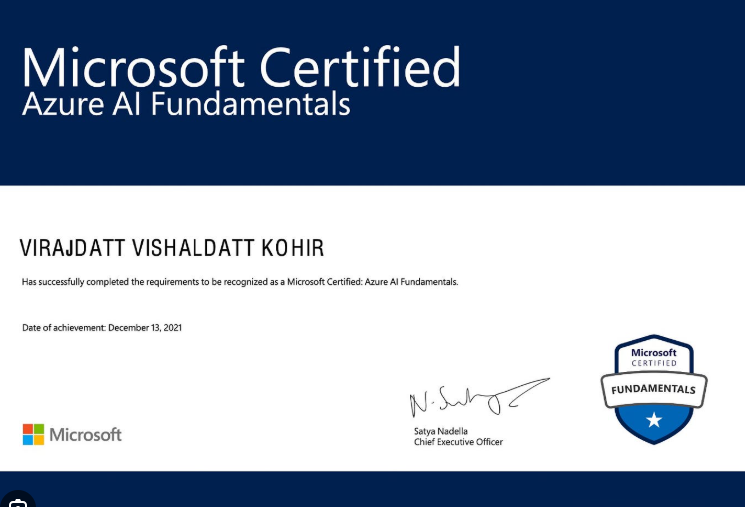
Azure AI Fundamentals
via Microsoft
EXCELLENTTrustindex verifies that the original source of the review is Google. I am completed with python with data analytics course in IIE It's for good teaching best experience for placement training so I will like for Indra institute of education in Gandhipuram branch.Posted onTrustindex verifies that the original source of the review is Google. I have completed the data analytics course . The mentor was friendly to approach and they taught us all the concepts well and it was useful.Posted onTrustindex verifies that the original source of the review is Google. GoodPosted onTrustindex verifies that the original source of the review is Google. great place to study ccna ..sindhu mam really helped me a lot to finish my ccna coursePosted onTrustindex verifies that the original source of the review is Google. Successfully completed in networking and cloud course.thanks to iie teamsPosted onTrustindex verifies that the original source of the review is Google. Best institute in coimbatorePosted onTrustindex verifies that the original source of the review is Google. Best training institute in coimbatorePosted onTrustindex verifies that the original source of the review is Google. Best place to learn Data science and Machine Learning..Thanks IIE teamPosted onTrustindex verifies that the original source of the review is Google. Best place to learn data science in Coimbatore..Thanks IIE teamPosted onTrustindex verifies that the original source of the review is Google. I'm the student of indra institution in coimbatore. Here, to gave a well traning and good teaching of all students. Now , I'm placement to company. Thank you all
Get 15% OFF On This Course Now!

Frequently Asked Questions
Got Questions? We've Got Answers!
Anyone interested in learning AI can take AI courses, but typically, the following people are eligible:
- Students pursuing computer science, engineering, or related fields.
- Working professionals in IT, data science, analytics, or software development.
- Career switchers who want to move into AI, machine learning, or data-related roles.
- Enthusiasts with basic knowledge of programming (Python is often recommended) and mathematics (linear algebra, probability, statistics.
The best AI job depends on interests and career goals, but top AI roles include:
- AI/ML Engineer – Builds and deploys AI models.
- Data Scientist – Analyzes data and creates predictive models.
- Deep Learning Engineer – Specializes in neural networks and advanced AI.
- AI Research Scientist – Develops new AI algorithms and innovations.
- Computer Vision Engineer – Focuses on image/video AI applications.
Among these, an AI/ML Engineer is often considered the most in-demand and high-paying role.
Start a career in AI:
Learn Python and basic math (linear algebra, statistics.
Study AI/ML concepts and tools like TensorFlow or PyTorch.
Build projects and a portfolio.
Apply for AI/ML jobs or internships.
Yes. AI jobs offer outstanding salaries, often higher than many other tech roles, especially for those with strong skills and experience.
Lets find your Perfect online courses today!
Empower Yourself with Expert-Lead Learning Anytime, Anywhere


